

Download AutoHotkey v2 Store Edition – Task Automation, Custom Hotkeys, Scripting Tool, Productivity Utility
Overview
AutoHotkey v2 Store Edition is a scripting platform designed to empower users with the ability to automate tasks and customize their Windows experience. Specifically developed for Windows 10 S-Mode, this version aims to bring advanced automation capabilities to users who may otherwise be restricted by system limitations. The app serves as a bridge between powerful scripting functionality and accessibility, enabling both novice and intermediate users to create hotkeys, execute macros, and modify application behavior without deep technical expertise. Its primary purpose is to streamline repetitive workflows, reduce manual input, and enhance overall productivity across a wide range of daily computing tasks.
Target users include students, office professionals, content creators, and anyone managing repetitive digital workflows. Whether it’s auto-filling forms, launching applications with a single keystroke, or reassigning keyboard layouts, the app provides practical solutions for real-world efficiency challenges. While the developer did not provide additional background on the team behind the release, the version is noted to have the endorsement of the official AutoHotkey Team, lending credibility to its development and compatibility with established standards. The app holds a notable place in the Windows productivity ecosystem by expanding access to automation tools in environments where such capabilities are typically restricted.
Although the developer did not list formal performance metrics or compatibility details beyond the platform, the app’s design suggests optimized performance for modern Windows devices. Real-world use cases include automating data entry, simplifying software navigation, and customizing keyboard behavior for ergonomic or accessibility purposes. Its presence underscores a growing demand for lightweight, secure, and user-friendly automation tools in the mobile and desktop space.
Key Features & Functionality
- Easy Task Automation: Users can define scripts that trigger sequences of keystrokes, mouse actions, or program launches. For example, a user can automate the process of logging into a frequently used application by scripting a series of inputs and button clicks, reducing time and minimizing errors.
- Custom Keyboard Shortcuts: The app allows users to reassign standard keys or create new combinations. A graphic designer might assign a custom shortcut to switch between tools in a design suite, improving workflow speed and reducing mouse dependency.
- User-Friendly Scripting: The scripting language is designed with simplicity in mind. Beginners can start with basic commands like
Send, Hello Worldto test functionality, while advanced users can build complex conditional logic and loop structures for intricate automation. - Extensive Documentation: Built-in help files and online resources provide step-by-step guides, code examples, and troubleshooting tips. These materials are essential for users learning the scripting syntax and discovering new features.
- Official Team Support: Although not directly maintained by the AutoHotkey Team, the version operates under their approval, ensuring adherence to core standards and reducing the risk of compatibility issues or security concerns.
Each feature is designed to serve practical, real-world needs. For instance, a researcher might use scripting to automatically extract data from multiple documents and compile them into a single file, saving hours of manual work. The combination of simplicity and power makes this tool valuable across diverse user profiles.
Interface, UX & Performance
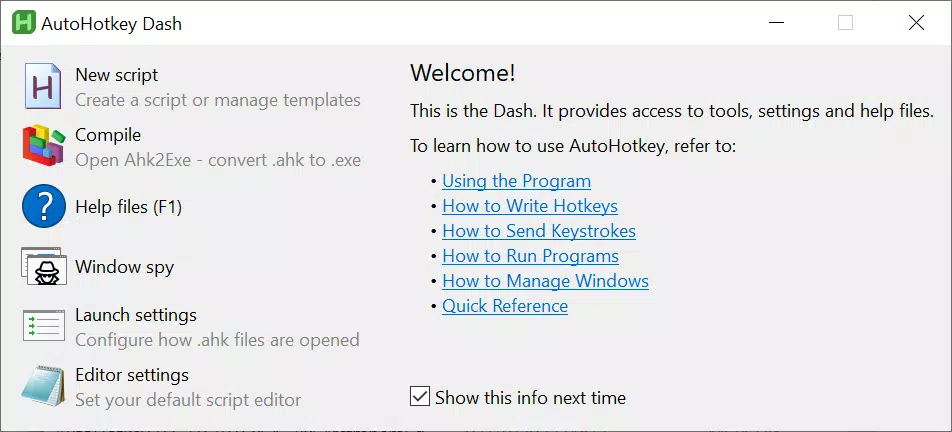
The interface of AutoHotkey v2 Store Edition is minimalistic, focusing on functionality rather than visual flair. It does not feature a traditional graphical dashboard but instead relies on script files and a command-line environment for interaction. This design prioritizes efficiency and reduces system resource usage, making it suitable for low-resource devices.
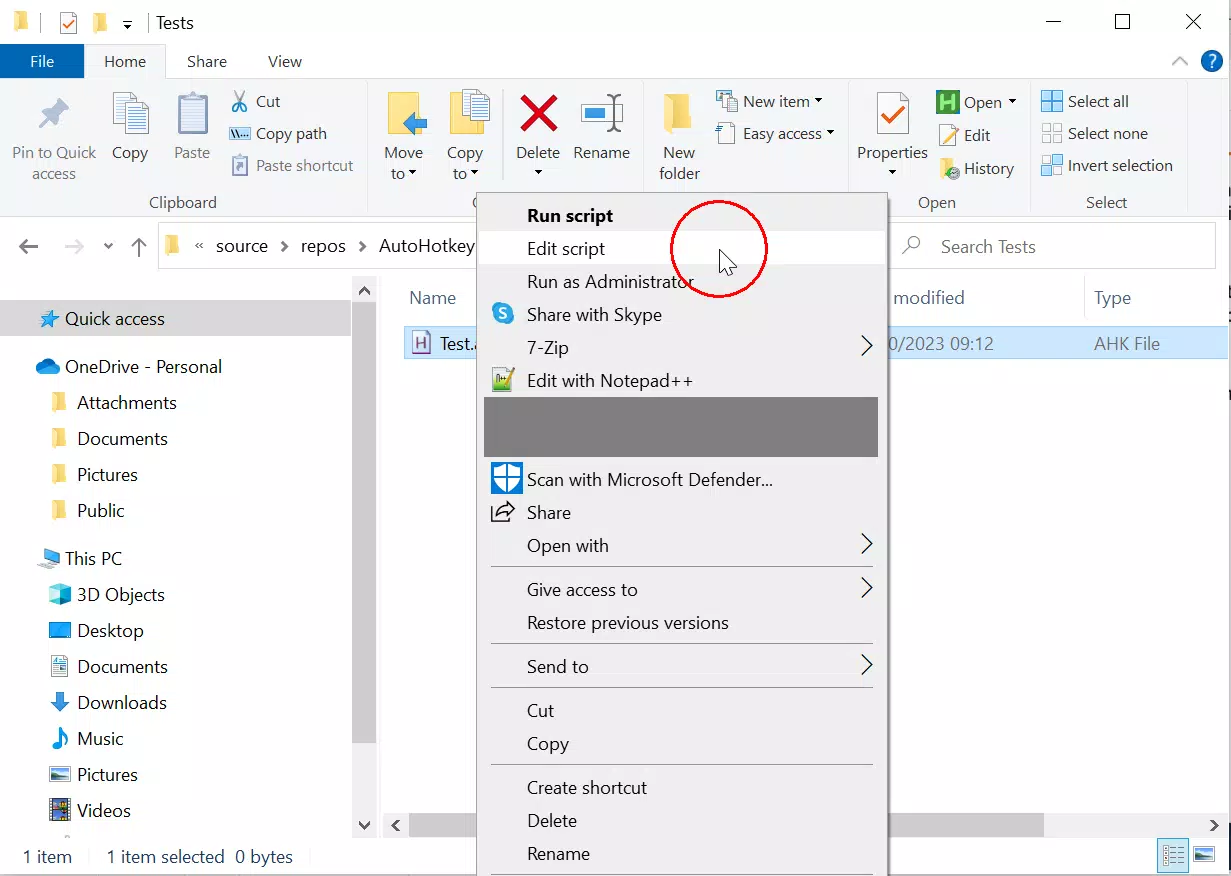
Navigating the app involves editing script files using a text editor, which users can open directly through the app or via external tools. The workflow is straightforward: write a script, save it with a .ahk extension, and run it. While the developer did not list formal performance metrics, the app’s lightweight nature suggests smooth operation on standard Windows 10 and 11 devices. Responsiveness is expected to be high, especially for basic scripts, with minimal lag during execution.
Stability appears to be a strength, given the app’s reliance on the well-established AutoHotkey v2 engine. However, specific requirements for system stability, memory usage, or background performance were not disclosed. Users should expect consistent behavior when scripts are properly written, though complex scripts may require more system resources. Overall, the user experience is tailored toward those comfortable with text-based workflows and scripting environments.
Platform Compatibility & Technical Requirements
AutoHotkey v2 Store Edition is designed for Windows operating systems. It is specifically optimized for Windows 10 S-Mode, which restricts the installation of apps from unknown sources. The app’s presence in the Microsoft Store reflects this targeted compatibility. The version number is not specified, and the file size is also not disclosed. The developer did not specify minimum OS requirements beyond the platform, nor did they list supported device categories or hardware specifications.
Although the developer did not list formal performance metrics or compatibility details beyond the platform, the app’s design suggests optimized performance for modern Windows devices. Real-world use cases include automating data entry, simplifying software navigation, and customizing keyboard behavior for ergonomic or accessibility purposes. Its presence underscores a growing demand for lightweight, secure, and user-friendly automation tools in the mobile and desktop space.
Pros and Cons
- Designed for Windows 10 S-Mode, expanding automation access in restricted environments
- Simple scripting language accessible to beginners and powerful for experts
- Comprehensive documentation and community support available
- Backed by the official AutoHotkey Team, ensuring reliability
- Lightweight and efficient with minimal system impact
- Interface is text-based, which may be intimidating for non-technical users
- No graphical dashboard or visual script editor included
- Specific technical requirements were not listed
- File size and version details were not disclosed
- Updates may depend on Microsoft Store release cycles, not direct developer control
FAQ
Is AutoHotkey v2 Store Edition safe to download?
Yes, the app is distributed through the Microsoft Store and has the endorsement of the official AutoHotkey Team, which helps ensure its security and integrity.
Can I use AutoHotkey v2 Store Edition on Windows 11?
While the developer did not specify compatibility details, the app is designed for Windows 10 S-Mode, and it is likely compatible with Windows 11, especially in S-Mode.
Do I need programming experience to use this app?
No, the scripting language is designed to be accessible to beginners. Simple scripts can be created with minimal learning, though advanced features require more familiarity with syntax and logic.
How often is the app updated?
Update frequency depends on the Microsoft Store release cycle. The official AutoHotkey Team supports the version, but specific update schedules were not provided.
Can I use this app to automate tasks in other applications?
Yes, AutoHotkey v2 Store Edition can interact with most Windows applications by simulating keystrokes, mouse actions, and window management, making it ideal for automating workflows across software.
Final Thoughts
AutoHotkey v2 Store Edition stands out as a powerful yet accessible automation tool tailored for users on Windows 10 S-Mode. Its combination of user-friendly scripting, official backing, and practical features makes it a valuable asset for anyone seeking to boost productivity. While the interface lacks visual polish, its focus on functionality and efficiency appeals to both technical and non-technical users alike. The app fills a critical gap in the Windows ecosystem by bringing advanced automation to restricted environments without compromising safety or reliability.
Whether you're a student managing research tasks, a professional streamlining office workflows, or a hobbyist customizing your digital workspace, this tool offers tangible benefits. It delivers a strong value proposition: powerful automation in a secure, easy-to-install package. For those ready to take control of their Windows experience, the time to act is now.
Download AutoHotkey v2 Store Edition now


